EDI Finance / Products / Excel Add-in
LIVE DATA, INSIDE THE SPREADSHEET

The EDI Finance database, one formula away, right inside Excel.

The add-in turns Excel into an extension of the EDI Finance Platform. Market data, fundamentals, historical series, and indicators land directly in the cells, and every model updates on its own from there. Build the query once, drop in the formula, and Excel becomes a layer connected straight to the database, not a stale export.

Live cells Data in the formula bar
Auto-refresh Models stay current
30+ years Historical coverage
No macros Native formulas only
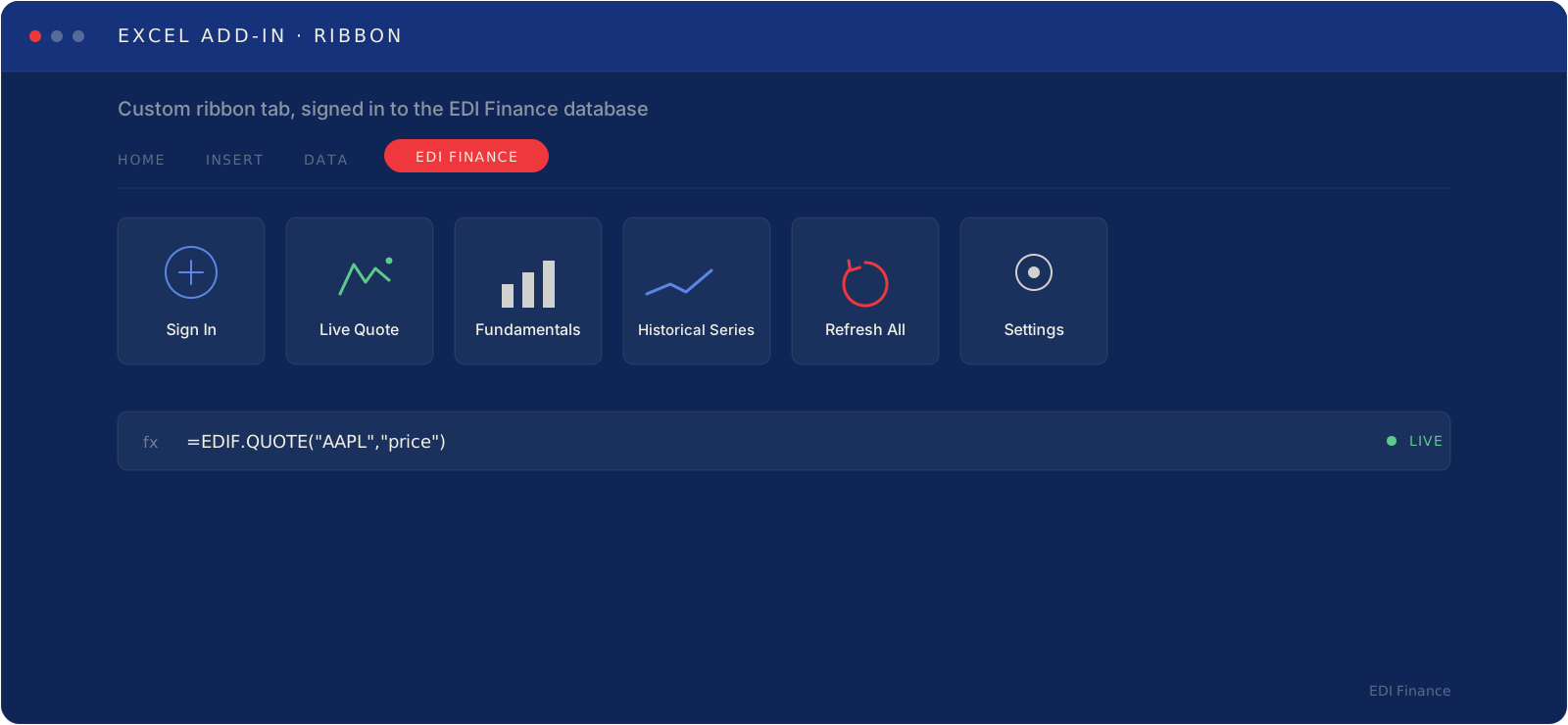
EDI Finance Excel Add-in / ribbon tab · live formulas
EDI Finance Excel Add-in: custom ribbon tab with live formulas
STEP BY STEP / 01

Install it once, then let it run in the background.

Setup happens right inside Excel's own ribbon. Sign in, search the ticker, indicator, or saved screen you already use in the Platform, and drop the formula into any cell. From there, every refresh pulls the latest EDI Finance database straight into your model.

  • Sign in from the EDI Finance tab, no separate app to open.
  • Insert live quotes, fundamentals, historical series, and indicators as native formulas.
  • Refresh one cell, one sheet, or the whole workbook, on demand or on a schedule.
WHAT THE EXCEL ADD-IN IS

Want the EDI Finance database without leaving the spreadsheet you already live in? The Excel Add-in is the most direct route. Market data, fundamentals, historical series, and indicators become native formulas, so your models stop depending on manual extraction and Excel turns into a layer connected straight to the database. More productivity, fewer copy-and-paste errors, and centralized updates for the whole team.

WHICH TO USE / 03

Two ways to work, Excel Add-in or Platform: which fits you best?

Both draw on the same EDI Finance database underneath, yet each one answers a different way of working.

PRODUCT · 01

Excel Add-in

Native formulas inside the spreadsheet you already use.

WHEN IT FITS
  • Data lands directly in the cells, no export needed.
  • Analysts who build models and templates in Excel.
  • Formulas refresh with one click or a set schedule.
  • Fits straight into workbooks and routines you already run.
In-cellNo exportModel-ready
PRODUCT · 02

Platform

The full research environment, in the browser.

WHEN IT FITS
  • Search, screen, and analyze without leaving the web app.
  • Analysts who want dashboards, charts, and saved views.
  • Every tool and dataset available in a single interface.
  • The best starting point before a number ever reaches a model.
Full interfaceSaved viewsBuilt-in analytics

They work well together, too. Reach out to our team to lock in the right setup, or dig into the Platform

UPSIDES / 04

Less clicking around, more autonomy.

No more manual downloads, no more re-exports, no more sending someone to log into the Platform to update a single number. The data simply appears inside the spreadsheet, ready to use, reliable, simple, and fast.

  • More productivity in recurring routines.
  • Fewer copy-and-paste errors in shared templates.
  • Faster, more reliable spreadsheet updates.
  • A long historical database, right inside the analyst's own workflow.
EDI Finance Excel Add-in / model desk · live formulas
Live formulas from the EDI Finance Excel Add-in
WHO IT'S FOR / 05

When your model needs the database without leaving Excel.

The Excel Add-in wires the EDI Finance database into the spreadsheets your team already builds every model in, so nobody has to hop between environments.

01
Research & Analysis
Fundamentals, historical series, and indicators land straight inside the models behind every report.
02
Corporate & IR Teams
Comparables and market data refresh inside the templates already used for board decks and planning.
03
Asset Management & Risk
Position, performance, and risk spreadsheets stay current without a single manual export.
04
Wealth & Private Banking
Client-facing models and portfolio templates refresh in place, ready before every meeting.
REQUEST ACCESS

The EDI Finance database, one formula away.

Book a demo and see the Excel Add-in shaped around your team's own models, updating on its own, every time you open the workbook.